|
Getting your Trinity Audio player ready… |
Table of Contents
| Direct Answer (AI Overview Optimized):To use Google Trends for SEO in 2026, combine trend-jacking with content clusters: identify breakout keywords (0→100 interest spikes), validate keyword seasonality before targeting, compare competing terms, and spot rising topics before your competitors do. Pair trend data with your content calendar, internal linking strategy, and AI Overview optimization to turn free search signals into consistent organic wins. |
The Free Tool Most SEOs Ignore
Let me tell you something uncomfortable: your competitors are probably using the same paid SEO tools you are. Ahrefs. Semrush. Moz. Same data. Same keyword difficulty scores. Same traffic estimates.
So why would Google give you an edge for free?
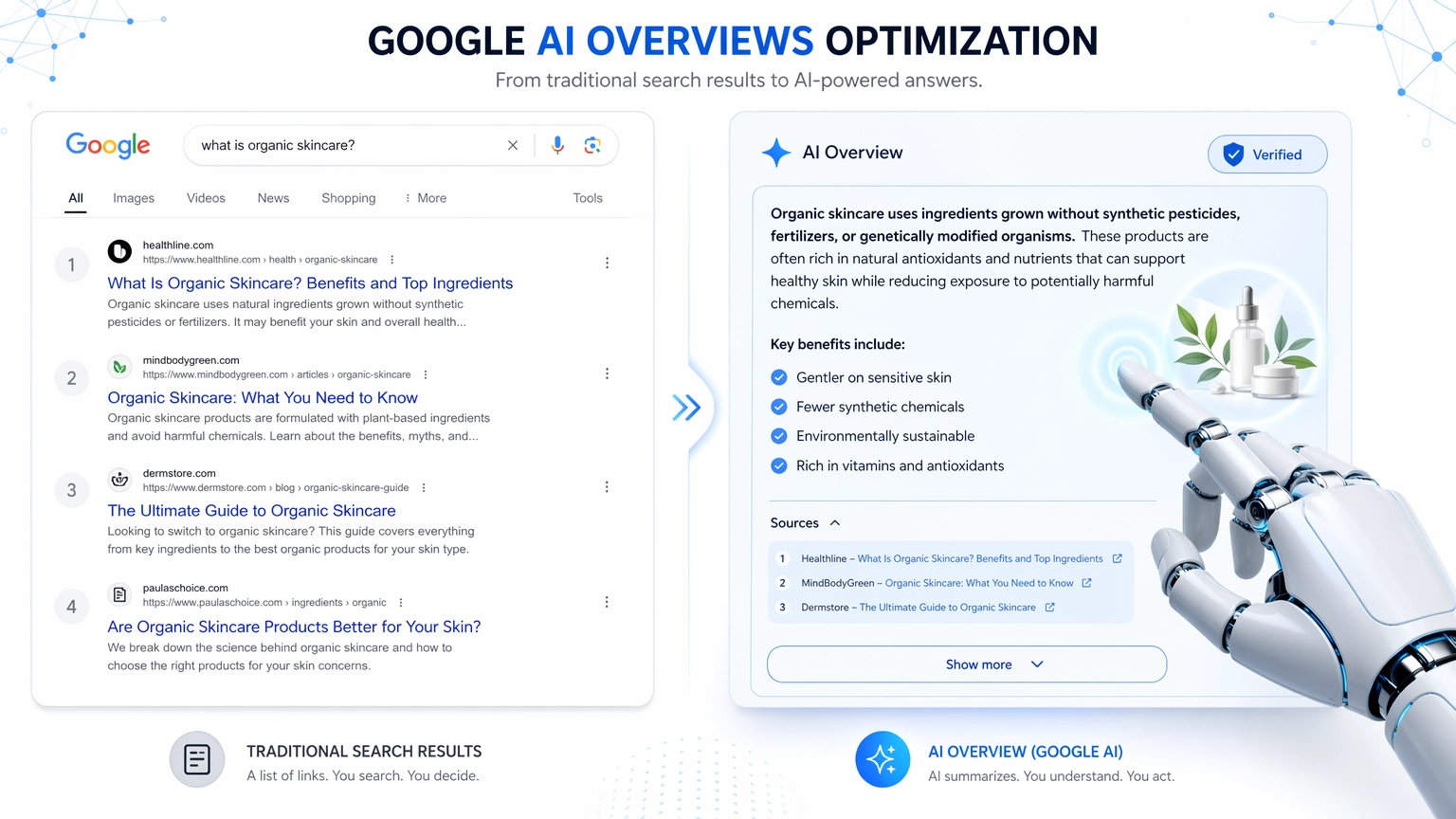
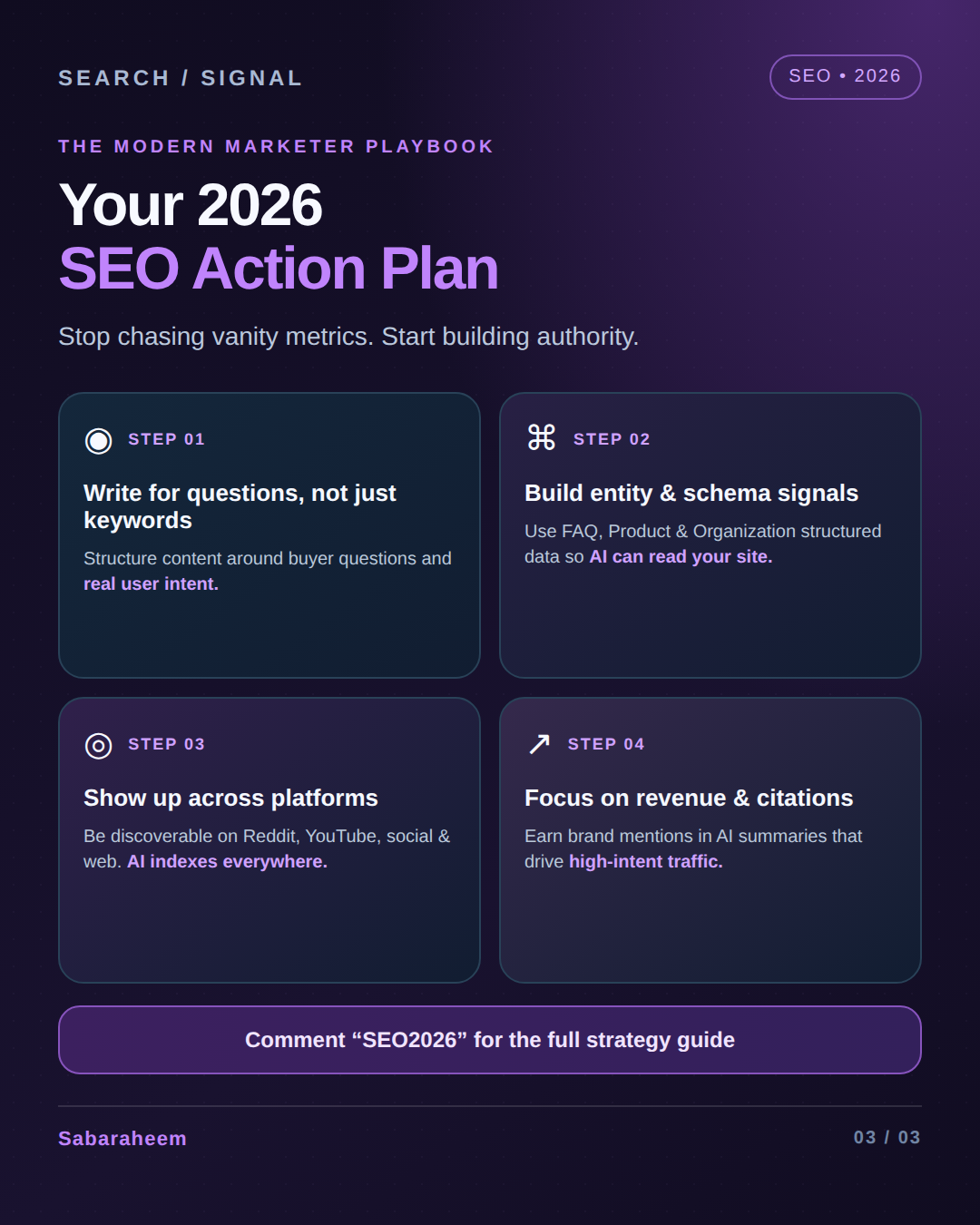
Because Google Trends shows you something Ahrefs can’t — the direction of demand, not just its current size. It tells you what people are starting to search for, not just what they already search for. In an era where AI Overviews are reshaping the SERP and zero-click rates are climbing, getting to a trend early is the difference between riding the wave and watching it pass.
Google Trends is the most underutilized free SEO tool in existence. And in 2026, with search behavior shifting faster than any algorithm update, ignoring it is leaving rankings — and revenue — on the table. These 11 expert hacks will show you exactly how to use it. Let’s start by understanding why it matters more now than ever, especially as traditional SEO continues to evolve in the age of AI search.
What Is Google Trends and Why Does It Matter for SEO?
Google Trends is a free tool by Google that shows the relative search interest for any query over time, across regions, and compared to other terms. The data is normalized on a 0-100 scale — 100 represents peak popularity for the term in the selected time and region.
It doesn’t show absolute search volume (that’s what Keyword Planner is for). What it shows is far more valuable for SEO strategy: momentum. A term at 15/100 trending upward is more interesting than a term at 80/100 trending down.
| Google Trends Data Point | What It Tells You | SEO Application |
|---|---|---|
| Interest Over Time | How search demand changes week-by-week, month-by-month | Content timing, seasonal planning, trend validation |
| Interest by Region | Where in the world / country people are searching most | Local SEO targeting, geo-specific content |
| Related Queries | What else people search alongside your topic | Keyword expansion, cluster building, PAA content |
| Related Topics | Broader conceptual areas linked to your query | Topical authority gaps, content pillar ideas |
| Breakout Labels | Queries with >5,000% growth — explosive new trends | First-mover content opportunity, trend-jacking |
The 11 Expert Hacks
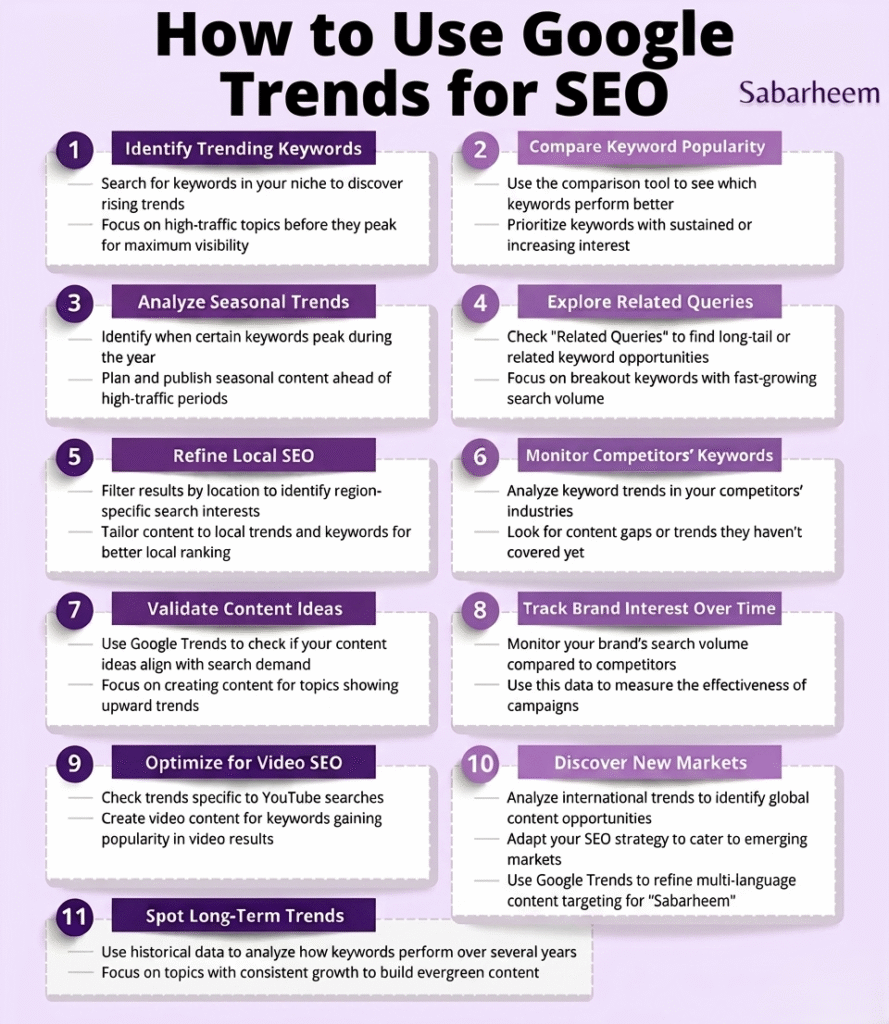
| Hack #1: Find Breakout Keywords Before Your Competitors DoThe ‘Breakout’ label in Google Trends’ Related Queries section marks terms with over 5,000% growth. These are keywords with virtually zero competition, no established SERP incumbents, and a rapidly growing audience that paid tools haven’t priced in yet.How to use it:Go to Google Trends → enter your core topic → scroll to Related QueriesSwitch the filter from ‘Top’ to ‘Rising’Filter for queries labeled ‘Breakout’ — these are your goldCross-reference in Ahrefs/Semrush — if KD is still 0-10, publish immediatelyReal example: In early 2025, ‘AI Overviews SEO’ was a Breakout query months before it hit mainstream SEO publications. First-mover content published in that window now dominates the SERP. |
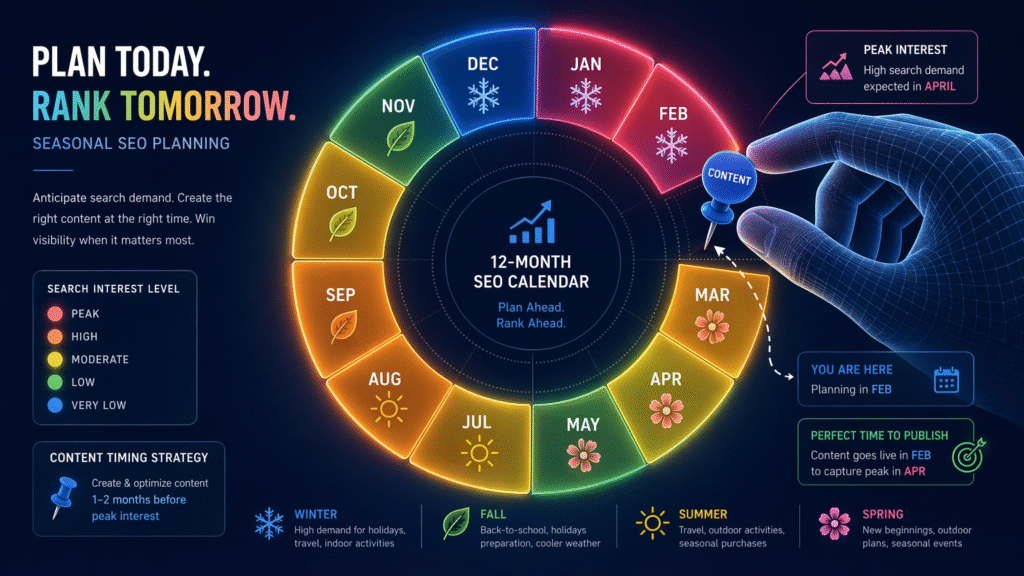
| Hack #2: Validate Keyword Seasonality Before Creating ContentThe most painful content mistake: publishing a seasonal guide in the wrong month. Google Trends 5-year view shows you exactly when annual demand peaks — so you can publish 6-8 weeks before the wave hits, giving Google time to crawl and rank your content before the traffic surge.Seasonal planning formula:Set time range to ‘5 years’ to see annual peak patternsIdentify the peak month (e.g., ‘SEO audit checklist’ peaks in January)Count back 6-8 weeks — that’s your publish deadlineSchedule social and email promotion to align with the trend peakThis principle applies directly to SaaS content marketing calendar planning — timing your content clusters to demand curves rather than arbitrary publishing schedules. |
| Hack #3: Use Comparison Mode to Identify Winning KeywordsGoogle Trends lets you compare up to 5 queries simultaneously. This is powerful for keyword selection: when you’re deciding between two keyword angles for the same topic, Trends tells you which term is gaining share — and which is declining.Practical comparisons to run today:‘AI Overviews SEO’ vs ‘Featured Snippet Optimization’ — which is growing?’Link building’ vs ‘Digital PR’ vs ‘Content marketing’ — where’s the momentum?’Google Search Console’ vs ‘Google Analytics 4’ — which gets more help-seeking queries?The insight here isn’t just traffic volume — it’s market direction. If your competitor is targeting a declining term and you’re targeting its replacement, you win by default. This is a core principle of the keyword research strategy that actually works in 2026. |
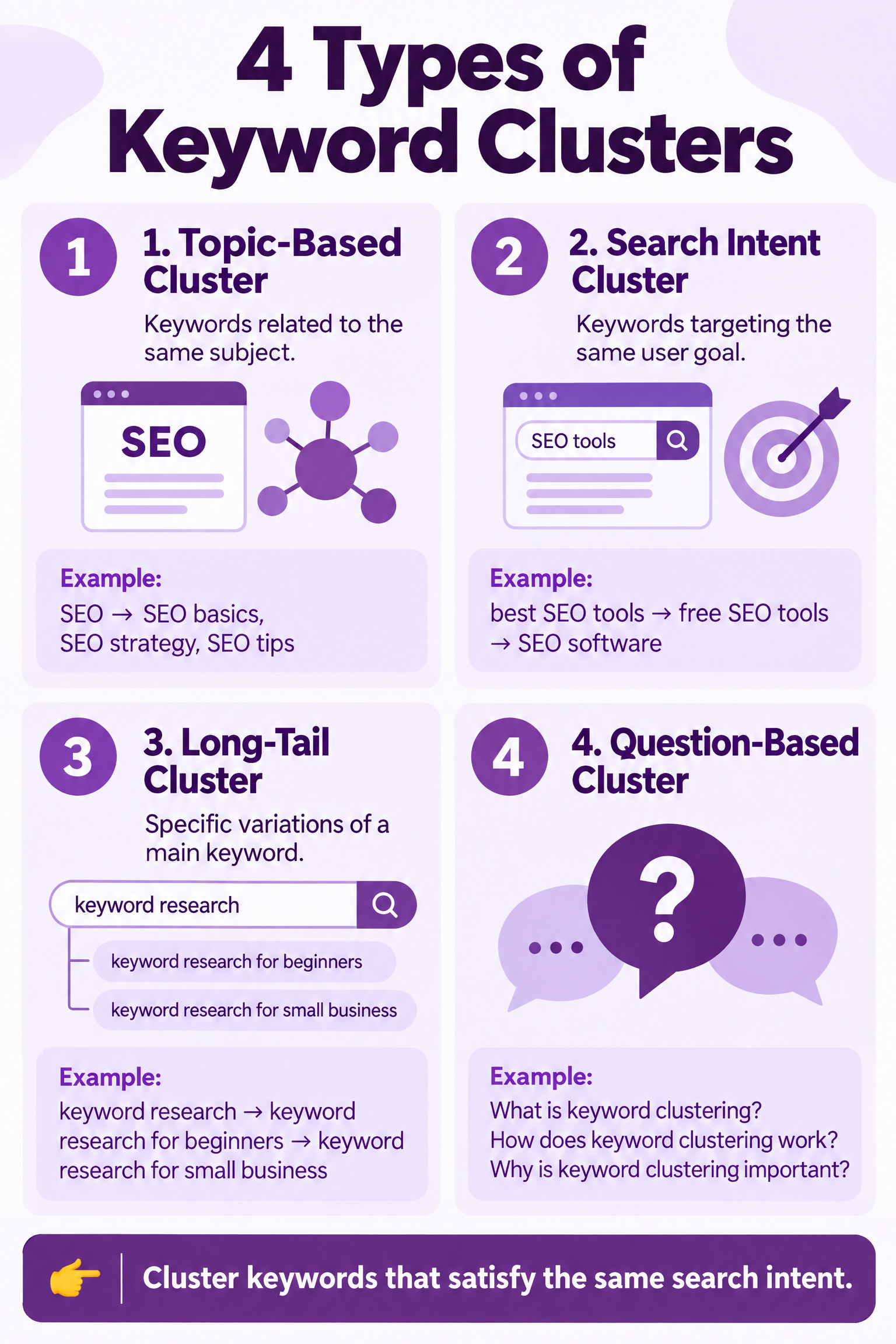
| Hack #4: Build Topical Authority Clusters from Related QueriesGoogle Trends’ Related Queries section is a free content cluster generator. It shows you exactly what adjacent questions your audience is asking around your core topic — which is precisely the semantic territory you need to own for topical authority.Content cluster workflow:Enter your pillar topic (e.g., ‘Google Trends SEO’)Export all Related Queries — both Top and RisingGroup them into subtopics — these become your cluster postsBuild a pillar post (this article) that links to each cluster postRepeat quarterly — Related Queries change as topics evolveTopical authority is how you get cited consistently in AI Overviews. A single post won’t do it — a cluster will. This is exactly why getting cited in ChatGPT and Google AI Overviews requires cluster thinking, not isolated post thinking. |
| Hack #5: Trend-Jack Viral Moments with Timely ContentTrend-jacking is the practice of publishing content during a search spike — capitalizing on a surge in interest before the topic becomes saturated with competition. Google Trends is your real-time early warning system.The 24-48 hour trend-jacking window:Monitor Google Trends ‘Trending Now’ (Real-Time Search Trends) dailyWhen a topic in your niche spikes, publish within 24-48 hoursTitle your post around the specific trending phrase — not a variation of itPromote immediately on social + email — trend windows are narrowExample: When ChatGPT launched its memory feature in 2025, SEO professionals who published ‘ChatGPT Memory SEO Impact’ posts within 48 hours earned backlinks, social shares, and featured snippets that are still generating traffic today. See how ChatGPT changes are reshaping SEO strategy for a live example of reactive content done right. |
| Hack #6: Use Regional Data for Local and International SEOGoogle Trends’ ‘Interest by Subregion’ feature shows you exactly where in the world (or within your country) a topic is most searched. This is pure gold for local SEO and international content targeting.Local SEO applications:Filter to your target country, then drill into subregions — which cities/states search your service most?Create location-specific landing pages for your top-demand citiesUse regional data to prioritize Google Business Profile optimization in high-interest areasFor international content: identify which countries want content in their language vs. EnglishA service business in a major city that creates suburb-specific landing pages informed by regional Trends data typically sees 3-5x the local organic traffic of a single generic city page. This is a key component of the new SEO strategy framework for 2026. |
| Hack #7: Optimize Content Timing for AI Overviews with Trend DataGoogle AI Overviews weight freshness — recent, up-to-date content is more likely to be selected for citation than older posts. Google Trends tells you precisely when to refresh your most important pages for maximum freshness impact.The freshness refresh strategy:Identify your 10 most important postsCheck their core keyword in Trends — when does annual interest peak?Schedule a content refresh 4-6 weeks before the peak: update statistics, add a new section, revise the introUpdate the Published/Modified date in your CMSResubmit to Google Search Console for re-crawlFreshness is one of the top AI Overview citation signals. Combined with the structural and schema strategies in winning the zero-click search game in 2026, timing your refreshes to Trends data creates a compounding advantage. |
| Hack #8: Identify Declining Topics Before You Waste ResourcesNot every trending topic in your industry deserves a post. Some are declining. Publishing a declining topic in 2026 is like opening a Blockbuster franchise — the work is real, the returns are evaporating.The 5-year decline check:Before investing in any major content piece, run its primary keyword in Google Trends on a 5-year viewA downward slope = declining category — reconsider or reframe around the replacement trendA flat line = stable category — fine to target, but no momentum advantageAn upward slope or breakout = green light — maximum investment justifiedExample: ‘keyword stuffing tips’ has been in steady decline since 2018. Publishing a guide on it would be wasted effort. Meanwhile, ‘GEO optimization’ is on a steep upward slope — the kind of topic worth a full content cluster. This is exactly the decision-making framework covered in the SEO audit and content strategy formula. |
| Hack #9: Reverse-Engineer Competitor Traffic with Trend ComparisonsCompare your brand term against a competitor’s brand term in Google Trends. The relative interest curves tell you whether you’re gaining or losing share of mind — and which competitor campaigns are resonating with your shared audience.Competitive intelligence workflow:Compare your brand + top 3 competitors in Trends comparison modeNote any spikes in a competitor’s line — what did they do to cause that? (Product launch? PR mention? Viral content?)If your line dips when theirs rises, investigate their content calendar for that periodCompare your topic cluster terms against competitors’ equivalent terms to see who owns which keyword territoryThis is competitive intelligence you can’t get from Ahrefs — behavioral search data rather than just backlink profiles. Combine it with link building strategies that actually move the needle in 2026 for a full competitive analysis picture. |
| Hack #10: Fuel Voice Search and Conversational SEO with Trend QuestionsVoice search queries are longer and more conversational than typed queries. Google Trends’ Related Queries section naturally surfaces these — because real users are searching in natural language. Mining Trends for question-format queries gives you a direct feed of voice search content opportunities.Voice search content workflow:Filter Related Queries starting with: ‘how’, ‘what’, ‘why’, ‘when’, ‘best’, ‘can I’Each of these is a potential H2 heading with a 40-60 word direct answerAdd FAQ Schema to these question-answer sections for AI Overview and voice search extractionCheck the same questions in Google Trends with ‘Web Search’ vs ‘Google Shopping’ to understand intentVoice search and conversational queries are becoming dominant as smart speakers, AI assistants, and mobile voice input normalize. The full optimization playbook is in how to do Voice Search SEO in 2026 — Trends data is the fuel for that engine. |
| Hack #11: Build Your Content Calendar Around Trend Forecast DataThe ultimate Google Trends power move: combine seasonal patterns, breakout queries, and Rising topics into a 12-month editorial calendar that anticipates demand rather than reacting to it.12-month Trends editorial calendar template:Monthly: Check ‘Trending Now’ for niche-relevant spikes — queue trend-jack contentQuarterly: Run your top 10 keywords on 5-year view — plan seasonal refresh scheduleBi-annually: Export Rising Related Queries across your full topic cluster — plan new post additionsAnnually: Competitive Trends comparison — assess brand share and category shiftsA Trends-informed content calendar doesn’t just improve your SEO — it improves your entire digital marketing efficiency. Content published in advance of demand peaks earns more shares, more backlinks, and more AI citations than reactive content. This is central to the single best strategy to increase website traffic in 2026. |

Google Trends vs. Paid SEO Tools: What Each Does Best
| Capability | Google Trends (Free) | Ahrefs / Semrush (Paid) | Use Both For |
|---|---|---|---|
| Trend direction & momentum | Best in class | Limited or absent | Trend-jacking, calendar planning |
| Absolute search volume | Not available | Best in class | Volume-based prioritization |
| Keyword difficulty | Not available | Best in class | Competition assessment |
| Seasonal demand patterns | Best in class (5yr view) | Limited | Seasonal content timing |
| Regional demand breakdown | Best in class | Available but less granular | Local SEO targeting |
| Real-time trend alerts | Real-Time Search Trends | Not real-time | Trend-jacking windows |
| Competitor content gap | Indirect (brand comparison) | Best in class | Content strategy |
| Related query discovery | Excellent for cluster building | Available but different signal | Cluster planning + PAA targeting |
The Complete Google Trends SEO Stack for 2026
Google Trends works best when layered with complementary tools. Here’s the full stack:
| Tool | Purpose in Trends Workflow | Cost |
|---|---|---|
| Google Trends | Trend direction, seasonality, regional data, breakout discovery | Free |
| Google Search Console | Validate Trends data against your actual impressions/clicks | Free |
| Google Keyword Planner | Add absolute volume to Trends directional data | Free (needs Ads account) |
| Ahrefs / Semrush | KD check on Breakout queries before publishing | Paid |
| Answer the Public / AlsoAsked | Expand question-format Related Queries into full PAA maps | Free / Paid |
| Notion / Sheets | Build your Trends-informed editorial calendar | Free |
5 Common Google Trends SEO Mistakes to Avoid
- Using Trends to find keywords instead of validate them: Trends doesn’t replace keyword research — it validates and sequences it. Always use Trends after identifying candidates with volume data.
- Ignoring the 5-year view: The 12-month view hides multi-year trends. Always check 5 years before committing to a content investment — declining topics look fine on a 90-day chart.
- Treating normalized data as absolute: A score of 100 doesn’t mean 100,000 searches — it means peak relative interest. Cross-reference with volume data before estimating traffic potential.
- Missing the regional breakdowns: Most SEOs look only at national data. Sub-region data is where local SEO gold lives — and almost nobody mines it.
- Not combining Trends with AI Overview optimization: Trends tells you what to write and when. AI Overview optimization tells you how to structure it. Use both together — as covered in the zero-click and AI Overviews strategy guide.
Your 30-Day Google Trends SEO Sprint
Week 1: Discovery
- Run your top 10 target keywords on 5-year view — flag declining ones, double-down on rising ones
- Export Rising Related Queries for your 3 main topic areas — tag Breakout queries for immediate action
- Run your brand vs. top 3 competitors — baseline your search share of mind
Week 2: Content Planning
- Build your Trends-informed content cluster map — use Related Queries as cluster posts
- Identify your 5 most time-sensitive seasonal topics — schedule refreshes 6 weeks before peak
- Set up Google Trends ‘Trending Now’ as a daily habit — 5 minutes every morning
Week 3: Optimization
- Refresh your top 3 posts with new data from Trends + update publish dates
- Add FAQ Schema to all question-format sections — match your PAA questions to Trends Related Queries
- Verify no AI crawlers (GPTBot, PerplexityBot) are blocked in robots.txt — your Trends-informed content needs to be crawlable
Week 4: Measure + Scale
- Check Google Search Console — are impressions rising for your trend-targeted posts?
- Track AI brand visibility for your trending keywords — use the framework in tracking AI brand visibility in search engines to measure citation rate
- Book a strategy session if you want your full Trends + GEO + SEO system built professionally — work with me here
People Also Ask
How do I use Google Trends for keyword research?
Use Google Trends to validate and sequence keywords, not find them from scratch. Enter a candidate keyword, check its 5-year interest direction (rising, flat, or declining), examine Related Queries for cluster-building opportunities, and look for Breakout labels that signal zero-competition emerging terms. Combine with keyword research strategy for actual search volume data.
Is Google Trends accurate for SEO?
Google Trends data comes directly from Google’s search database — it’s as accurate as search data gets for trend direction. However, it shows relative normalized interest (0-100), not absolute search volume. For precise traffic estimates, pair Trends data with Google Search Console impressions or Ahrefs/Semrush volume data.
How often should I check Google Trends for SEO?
For trend-jacking opportunities: check ‘Trending Now’ (Real-Time Search Trends) daily — 5 minutes. For content planning: run your key topics monthly on a 90-day view. For annual calendar planning: run a 5-year analysis quarterly to catch seasonal patterns and multi-year trend shifts.
Can Google Trends help with AI Overview optimization?
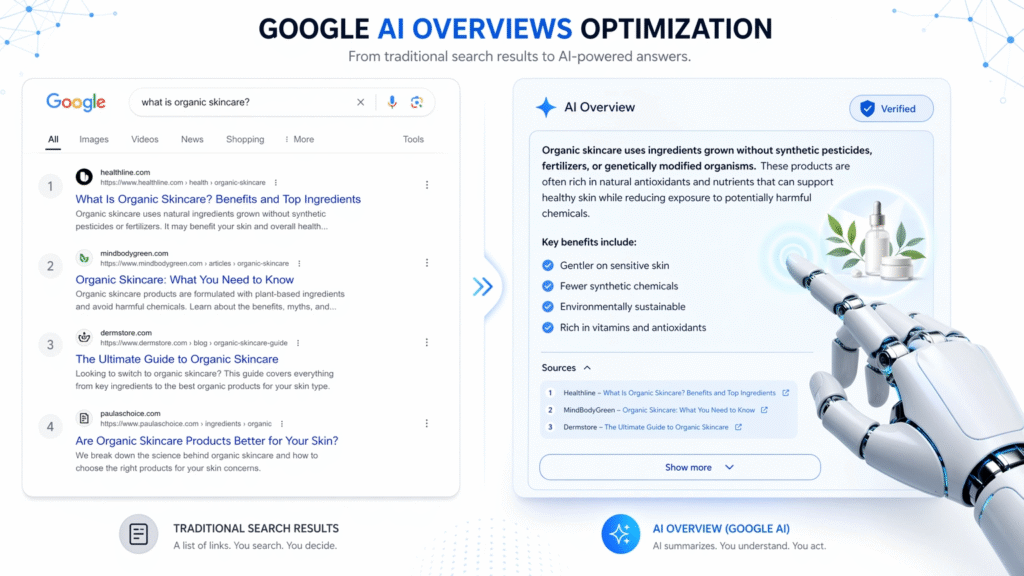
Yes. Trends helps you identify which topics are gaining search momentum — the same topics that trigger AI Overviews. Publishing trend-validated, well-structured content during rising demand periods increases your probability of AI Overview citation. Combine Trends data with the direct-answer formatting and schema strategies in the complete AI Overview optimization guide.
What is a ‘Breakout’ keyword in Google Trends?
A Breakout keyword is a Rising Related Query that has grown by more than 5,000% — typically within the past 7-90 days. These queries represent emerging topics with virtually zero established competition. Publishing content on Breakout keywords within 48-72 hours of detection gives you a first-mover advantage that can result in strong rankings before the topic becomes mainstream.
Frequently Asked Questions
Can I use Google Trends for local SEO?
Absolutely. Google Trends’ ‘Interest by Subregion’ feature shows which cities, states, or counties have the highest search interest for your query. Use this to prioritize location-specific landing pages, Google Business Profile optimization, and local content campaigns in high-demand areas. This is one of the most underused features in local SEO.
How do I use Google Trends to find content ideas?
Enter your core topic in Trends → scroll to Related Queries → switch to Rising → export the results. Each rising query is a potential blog post. Group related queries into content clusters, prioritize Breakout labels, and build a publishing queue based on demand trajectory. This gives you a demand-driven content pipeline rather than one based on assumptions.
Does Google Trends data work for non-English markets?
Yes. Set the location filter to your target country and check the language of the Related Queries that appear — this indicates whether the market prefers English or local-language search. For international SEO, compare the same topic across multiple countries to identify where demand is strongest and which markets are emerging.
How is Google Trends different from Google Search Console?
Google Trends shows relative interest across all searchers for any topic — even if those searchers haven’t visited your site. Google Search Console shows actual impressions and clicks for your specific website. Use Trends to find and validate topics; use Google Search Console as part of your AI visibility tracking system to measure how well you’re capturing the demand Trends identifies.
What’s the best time range to use in Google Trends for SEO?
Use ‘5 years’ as your default for strategic decisions — it reveals multi-year trend direction and annual seasonal patterns. Use ’90 days’ for tactical content planning and monthly variation. Use ‘Past 7 days’ or ‘Past day’ for trend-jacking opportunities. Never rely solely on ’12 months’ — it can mask long-term declines or make recent spikes look like established trends.

Sharing my journey and learnings in Tech and AI. As a Digital Marketing Expert, I help brands boost their visibility and sales with smart personal branding and the latest AI tricks.

Leave a Reply