|
Getting your Trinity Audio player ready… |
Table of Contents
| Your business isn’t ranking on Google Maps because of one or more of these issues: unverified or incomplete Google Business Profile, inconsistent NAP (Name, Address, Phone) data across directories, no recent reviews or low star rating, missing category and service area settings, weak local citation footprint, poor website relevance signals, or proximity disadvantage. Fix your GBP completeness first — it’s the single highest-impact action for Google Maps visibility. |
Introduction: The Local Search Gap That’s Costing You Customers
Your competitor’s business pops up when someone searches ‘dentist near me’ or ‘best pizza in [your city].’ Yours doesn’t. You’re open, you’re good at what you do, and you have happy customers — but Google Maps acts like you don’t exist.
This isn’t bad luck. It’s a fixable technical and strategic problem — and in most cases, the root causes are surprisingly simple.
The Google Maps ‘Local Pack’ (the 3 businesses that appear at the top of local search results with a map) captures an enormous share of local search clicks. Research consistently shows the top 3 Google Maps results receive 44% of all clicks for local intent queries. Position 4 gets almost nothing. The difference between appearing and not appearing in that pack is the difference between a full appointment book and empty chairs.
In 2026, local search has become even more competitive because Google AI Overviews now appear above the Local Pack for many local queries — which means your GBP (Google Business Profile) optimisation needs to work harder than ever. This guide gives you the 11 most common reasons businesses disappear from Google Maps, and exactly what to do about each one. For context on how AI is reshaping local search visibility, read what the new SEO strategy for 2026 means for local businesses.
What Is the Google Maps Local Pack and How Does It Work?
The Google Maps Local Pack — also called the ‘3-Pack’ — is the block of three local business listings that appears at the top of Google search results for queries with local intent. It includes a map, business names, star ratings, hours, and sometimes photos or review snippets.
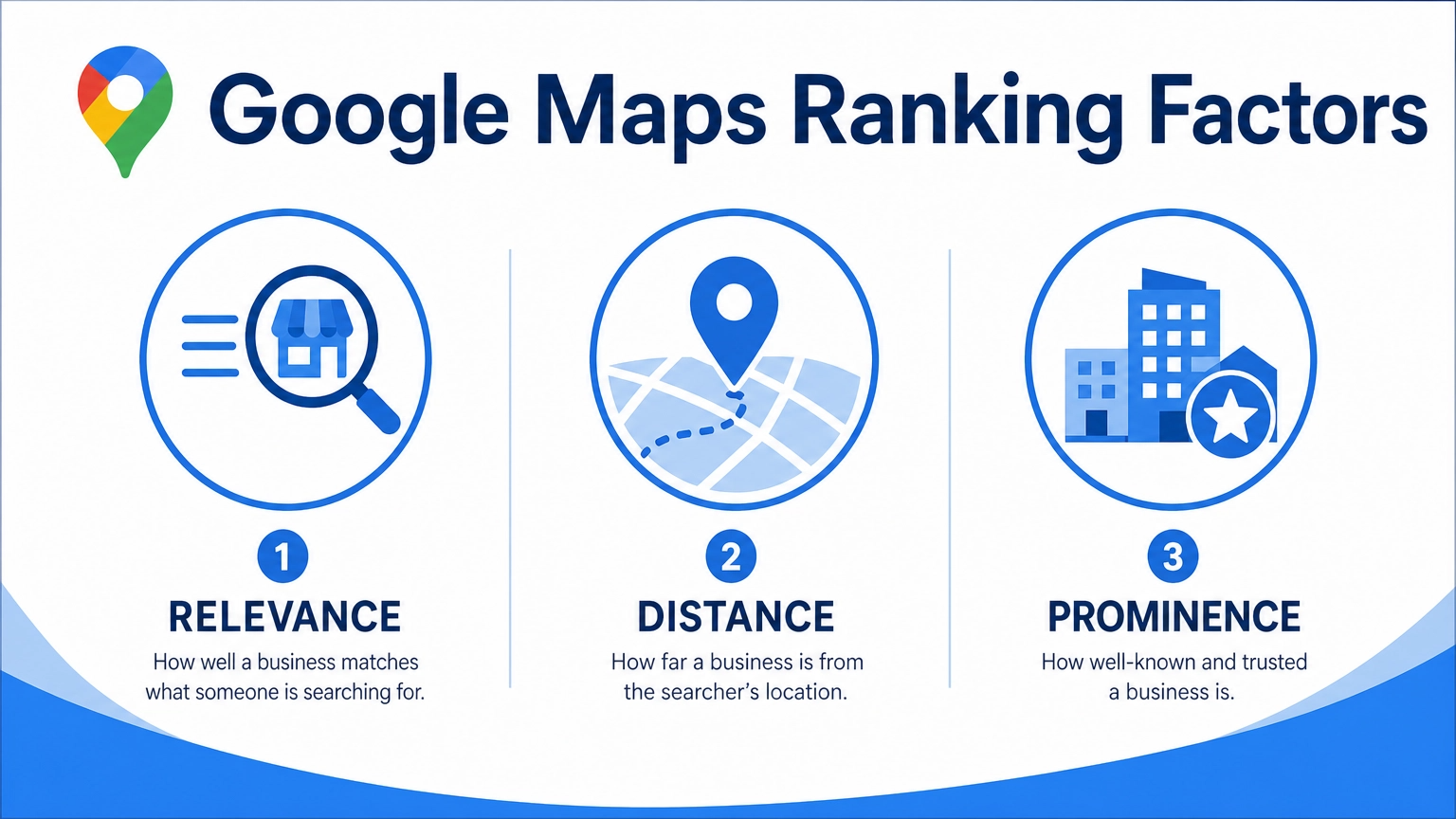
Google uses a three-factor algorithm to determine Local Pack rankings:
| Ranking Factor | What It Means | Weight in 2026 |
|---|---|---|
| Relevance | How well your GBP matches what the user searched for | High — ~35% |
| Distance | How close your business is to the searcher’s location | High — ~30% |
| Prominence | How well-known and authoritative your business is online | High — ~35% |
Understanding these three factors is the key to diagnosing your ranking problem. Most businesses that aren’t showing up are failing on Relevance or Prominence — not Distance. And both are fixable. This maps directly to the core principle I cover in the SEO audit formula — you have to diagnose before you prescribe.
11 Reasons Your Business Isn’t Ranking on Google Maps
| Reason #1Your Google Business Profile Is Unverified or IncompleteWhy This Kills Your Ranking:An unverified GBP is essentially invisible to Google’s local algorithm. Google won’t risk surfacing business information it hasn’t confirmed is accurate. An incomplete profile — missing hours, photos, description, or services — signals low trustworthiness and relevance.How to Fix It:Go to business.google.com → verify your business via postcard, phone, or video (Google’s preferred method in 2026)Complete every single field: business name, category, address, phone, website, hours, holiday hours, description (750 characters — use all of them), attributes, and servicesAdd minimum 10 high-quality photos: exterior, interior, team, products/services, before/after (if applicable)Verification is the foundation. Nothing else in this list matters until this is done.This is the most common reason local businesses are invisible on Google Maps — and the most avoidable. If you haven’t verified yet, stop reading and do it now. Your SEO web optimization starting point is always GBP verification first. |
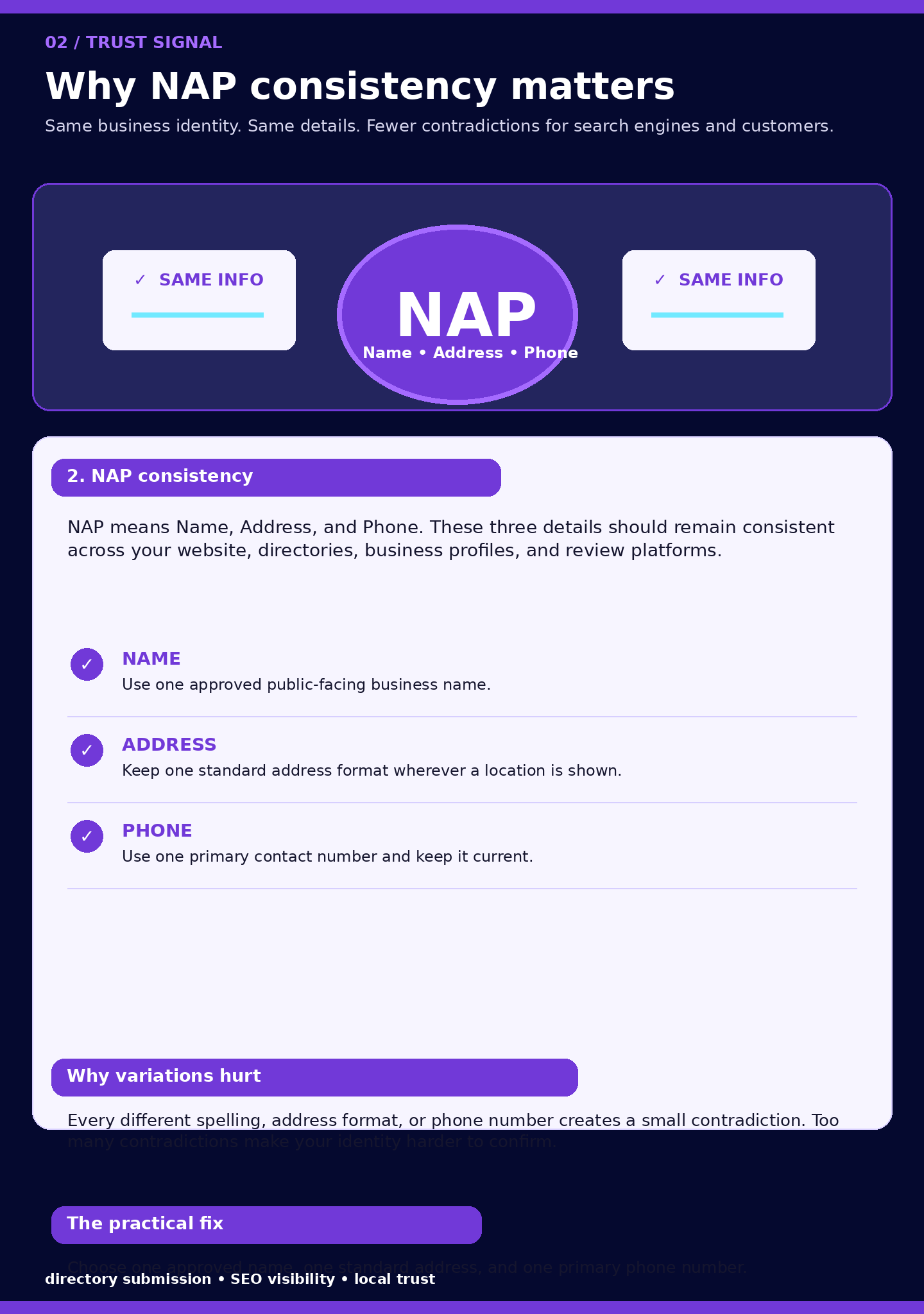
| Reason #2Inconsistent NAP Data Across the WebWhy This Kills Your Ranking:NAP stands for Name, Address, Phone number. Google cross-references your business information across dozens of directories, social profiles, and websites. If your name is ‘ABC Plumbing’ on Google, ‘ABC Plumbing Services’ on Yelp, and ‘ABC Plumbing & Heating LLC’ on your website — Google gets confused about which entity you are. Inconsistent NAP is one of the top local ranking killers that most business owners never think about.How to Fix It:Audit your NAP across: Google Business Profile, your website footer, Yelp, Yellow Pages, Facebook, LinkedIn, TripAdvisor, Apple Maps, Bing Places, and any industry directoriesChoose one canonical version of your business name and use it everywhere — exactly, including capitalisation and punctuationUse tools like Moz Local, Semrush Listing Management, or BrightLocal to audit and fix citation inconsistencies at scaleYour GBP address must match your website contact page exactly — including suite numbers, abbreviations (St vs Street), and formatting |
| Reason #3You Have Few or Low-Quality ReviewsWhy This Kills Your Ranking:Reviews are the most visible prominence signal in the Local Pack. A business with 200 reviews at 4.6 stars will almost always outrank a business with 12 reviews at 4.2 stars — even if the second business is more relevant. Google’s algorithm treats review volume, recency, and sentiment as direct authority signals. More importantly, review responses signal to Google that your business is active and engaged.How to Fix It:Build a systematic review request process: text or email customers within 24 hours of service, include a direct GBP review linkAim for minimum 50 reviews before expecting serious Local Pack visibility — 100+ is the competitive benchmark in most marketsRespond to every review — positive and negative — within 48 hours. Response rate and quality are signals Google tracksNever buy fake reviews. Google’s review detection has become sophisticated enough to penalise entire profiles for review manipulation — you can lose all your reviews overnightEncourage reviewers to mention specific services and locations naturally — keyword-rich reviews improve relevance signalsI covered a real case where a local business went from 0 Local Pack appearances to consistent top-3 by fixing their review strategy — it’s in the SEO case study: how long do SEO results actually take. |
| Reason #4Wrong or Too-Broad Primary CategoryWhy This Kills Your Ranking:Your primary GBP category is the single most important relevance signal for local search. Google uses it to determine which searches you’re eligible to appear for. If you’re a ‘Thai restaurant’ listed as ‘Restaurant’ — you’re competing against every type of restaurant instead of being a relevant result for ‘Thai food near me.’ Category selection is the most underestimated ranking factor in local SEO.How to Fix It:Research competitors in the top 3 of your target Local Pack — what primary category do they use?Choose the most specific primary category that accurately describes your main service — not the broadestAdd up to 9 secondary categories for additional services — these expand your eligibility for related searches without diluting your primary focusReview Google’s complete category list (google-business-categories.com) — there are over 4,000 options and the right one is often more specific than you’d guess |
| Reason #5Your Website Has Weak Local Relevance SignalsWhy This Kills Your Ranking:Google cross-references your GBP with your website to confirm you are who you say you are. A website with no location-specific content, no local keywords, no schema markup, and no consistent NAP in the footer is a red flag to Google’s local algorithm. Your website is your GBP’s most important supporting document.How to Fix It:Add your full NAP to your website footer — exactly matching your GBPCreate a dedicated Contact page with your address, embedded Google Map, and local phone numberImplement LocalBusiness Schema markup — this is structured data that explicitly tells Google your business type, location, hours, and contact detailsCreate location-specific landing pages if you serve multiple areas (e.g., ‘Plumber in [Suburb]’, ‘Plumber in [Neighbouring Suburb]’)Publish locally relevant content — neighbourhood guides, local case studies, community involvement postsThe 3-second rule for website design and SEO performance applies critically here — a slow-loading local landing page reduces Google’s ability to crawl and rank it, which directly impacts your Maps visibility. |
| Reason #6You Have No (or Weak) Local Citation FootprintWhy This Kills Your Ranking:Local citations are mentions of your business NAP on third-party websites — directories, review platforms, local news, industry associations. Google uses citation quantity and quality as a prominence signal. A business with 150 consistent citations on authoritative directories has significantly more prominence than one with 5 citations, even if the products and services are identical.How to Fix It:Build citations on the major universal directories first: Google Business Profile, Bing Places, Apple Maps, Yelp, Facebook Business, Yellow Pages, FoursquareThen target industry-specific directories relevant to your business type (e.g., Zomato for restaurants, Houzz for contractors, Healthgrades for medical practices)Target local directories: your city’s Chamber of Commerce website, local business associations, local news ‘business directory’ sectionsTarget 50-100 quality citations before expecting significant Local Pack impact — use BrightLocal or Whitespark to track and build citations efficientlyCitations are the local SEO equivalent of backlinks — they build authority and trust. For the broader link authority strategy that supports this, see link building strategies that actually work in 2026. |
| Reason #7You’re Not Posting on Your Google Business ProfileWhy This Kills Your Ranking:Most business owners set up their GBP once and forget it. Google treats GBP Posts as an activity signal — regular posting indicates an active, engaged business. Businesses that post weekly consistently show higher Local Pack placement than identical businesses that are dormant. Posts also appear directly in your GBP listing and in local search results.How to Fix It:Post minimum 1x per week to your GBP — the content can be short (150-300 words)Post types: What’s New (general updates), Offers (promotions), Events (if applicable), Products (showcase specific services)Include a CTA button in every post: ‘Book Now’, ‘Call Now’, ‘Learn More’, ‘Get Offer’Repurpose your social media content as GBP posts — no need to create entirely new contentAdd local keywords naturally in posts: mention your city, neighbourhood, and service typeThis is where your social media management strategy and local SEO converge — a consistent posting schedule on GBP and social simultaneously builds both local ranking signals and brand authority. |
| Reason #8You Haven’t Added Products or Services to Your GBPWhy This Kills Your Ranking:The Services and Products sections of Google Business Profile are two of the most underutilised ranking features available. Adding detailed services with descriptions creates direct keyword-matching opportunities for local search queries. A plumber who lists ’emergency drain unblocking’, ‘hot water system installation’, and ‘leak detection’ as separate services will appear for all three searches — the one who just says ‘plumbing’ won’t.How to Fix It:List every individual service you offer — not just your general categoryWrite a 200-300 word description for each service using natural language that mirrors how customers searchAdd pricing where possible — price transparency is a trust signal and helps Google display relevant rich resultsFor product businesses: add your full product catalogue with photos, descriptions, and links to product pages |
| Reason #9Your Q&A Section Is Empty or UnansweredWhy This Kills Your Ranking:The Questions & Answers section of your GBP is a direct keyword opportunity that almost nobody uses. Anyone can ask questions — and anyone can answer them. If you don’t pre-populate this section with FAQs about your business, random members of the public will answer them (often incorrectly). This section also appears in search results and can directly influence conversion rates.How to Fix It:Pre-populate your Q&A section with 10-15 common customer questions — ask them yourself from a separate Google account and answer them from your business accountInclude local keywords naturally in both questions and answersMonitor for new questions weekly and answer within 24 hours — unanswered questions are a negative signalQuestions like ‘Do you offer emergency appointments?’ ‘What areas do you service?’ ‘Is parking available?’ are conversion-focused AND keyword-rich |
| Reason #10Proximity Is Working Against You (and You’re Not Compensating)Why This Kills Your Ranking:Distance from the searcher is a fixed ranking factor — you cannot change where your business physically is. But you can significantly offset a proximity disadvantage through stronger Relevance and Prominence signals. Businesses further from the city centre can still rank in the top 3 if their profiles are significantly more complete, their review volume is higher, and their citation footprint is stronger.How to Fix It:If your business is outside the primary search radius, create location-specific landing pages on your website for each suburb or area you serveUse the ‘Service Area’ settings in GBP to specify the geographic areas you serve — don’t leave this blankBuild citations on hyper-local directories specific to each area you serve (neighbourhood association sites, local Facebook groups with business directories)A higher review count and more complete profile can compensate for 5-10km of proximity disadvantage in most marketsThe regional targeting approach I cover in the Google Trends for SEO local targeting guide applies directly here — use Trends data to identify which specific suburbs in your area are searching for your service most, and target those first. |
| Reason #11Google Has Suspended or Penalised Your ListingWhy This Kills Your Ranking:GBP suspensions are more common than most business owners realise — and they often happen silently. Your listing might appear to you when logged in but be invisible to everyone else. Suspensions can happen from keyword stuffing in your business name, a competitor reporting your listing, an address that doesn’t match Google’s data, or a violation of GBP guidelines.How to Fix It:Search for your business on Google while logged OUT of your Google account — does it appear?Check your GBP dashboard for any warning messages or ‘Needs Attention’ flagsRemove keyword stuffing from your business name — your GBP name should be exactly your real-world business name and nothing moreIf suspended: go to the Business Profile Help Community, submit a reinstatement appeal through the GBP support chat, and provide documentation (business licence, utility bill) to verify your legitimacySet up a Google Alert for your business name to monitor if competitors are filing false reports against your listing |
Your Google Maps Ranking Fix Priority Matrix
Not all fixes are equal. Here’s how to sequence your effort:
| Fix | Impact | Effort | Do This | Timeline |
|---|---|---|---|---|
| Verify & complete GBP 100% | Critical | Low | Week 1 | Immediate ranking signal |
| Fix NAP consistency | Critical | Medium | Week 1-2 | 2-4 weeks to propagate |
| Correct primary category | High | Low | Week 1 | 1-2 weeks |
| Build to 50+ reviews | High | Medium-ongoing | Start Week 1 | 2-3 months |
| Add all services + descriptions | High | Low | Week 1 | 1-2 weeks |
| Add LocalBusiness Schema to website | High | Medium | Week 2 | 2-4 weeks |
| Build 50 quality citations | Medium | Medium | Week 2-4 | 4-8 weeks |
| Weekly GBP posting | Medium | Low-ongoing | Start Week 1 | Cumulative over 3 months |
| Pre-populate Q&A section | Medium | Low | Week 2 | 1-2 weeks |
| Service area landing pages | Medium | High | Month 2 | 4-8 weeks |
| Resolve any GBP suspension | Varies | High if needed | Immediate | 1-4 weeks for appeal |
Bonus: How AI Search Is Changing Local Rankings in 2026
Google’s AI Overviews are now appearing above the Local Pack for many local queries — particularly those with an informational component (e.g., ‘best Italian restaurant near me with outdoor seating’). This creates a new layer of local visibility strategy: getting cited in AI Overviews for local intent queries in addition to ranking in the Local Pack.
| Traditional Local SEO | AI-Era Local SEO (2026) |
|---|---|
| Optimise GBP for 3-Pack ranking | Optimise GBP + create content that gets cited in AI Overviews |
| Target ‘service + city’ keywords | Target conversational queries (‘who has the best X in Y city’) |
| Reviews for star rating | Reviews for sentiment signals in AI summary generation |
| NAP consistency for citations | NAP consistency + structured data for AI entity recognition |
| Local citation building | Local citation building + earned media mentions for AI prominence |
The businesses that will dominate local search in 2026 are those that treat GBP optimisation and AI visibility as a unified strategy — not two separate tasks. For the full picture on how AI Overviews are changing search for local and national businesses alike, see AI Overviews vs your website: how to win the zero-click search game.
Your 30-Day Google Maps Ranking Sprint
Week 1: Foundation (Highest Impact, Lowest Effort)
- Verify GBP if unverified — complete 100% of all profile fields
- Fix your business name to exact real-world name — remove any keyword stuffing
- Set correct primary category — research top 3 competitors to confirm
- Add all secondary categories (up to 9) for your additional services
- Upload minimum 10 photos: exterior, interior, team, work examples
- Pre-populate Q&A with 10 FAQs — ask and answer yourself
Week 2: Consistency and Relevance
- Audit NAP consistency across 20 major directories — fix every discrepancy
- Add LocalBusiness Schema to your website’s contact page and footer
- Add all services with full 200-300 word descriptions to your GBP
- Launch your first GBP post — set a recurring weekly calendar reminder
- Check your listing as a logged-out user — confirm it’s visible and not suspended
Week 3: Authority Building
- Submit to the 7 universal directories: Bing Places, Apple Maps, Yelp, Facebook, Yellow Pages, Foursquare, TripAdvisor (if applicable)
- Submit to 5 industry-specific directories relevant to your business type
- Launch your review request system — text/email all recent customers with a direct GBP review link
- Create a location-specific page on your website for your primary service area
Week 4: Measure and Scale
- Check GBP Insights — are calls and direction requests increasing?
- Run a full SEO audit of your local presence to identify any remaining technical barriers
- Track Local Pack appearances for your top 10 target keywords — use Local Falcon or BrightLocal for accurate rank tracking
- If you want professional help accelerating your local SEO results, let’s work together
People Also Ask
How long does it take to rank on Google Maps?
With consistent optimisation, most businesses see initial Local Pack appearances within 4-8 weeks. Reaching the top 3 consistently takes 3-6 months of sustained effort — including review building, citation growth, and regular GBP activity. Faster results are possible if your main problem is a simple fix like an unverified profile or wrong category. Real-world timelines are detailed in my local SEO case study showing 28-day results.
Why does my competitor rank higher on Google Maps even though I have more reviews?
Review count is one signal among many. Your competitor may be outranking you on Relevance (better category match, more detailed service listings, stronger website local signals) or Prominence (more citations, higher domain authority, more complete GBP). Check their primary category, count their citations using a tool like BrightLocal, and compare GBP completeness — one of those three areas is almost certainly where they’re ahead.
Can I rank on Google Maps without a physical address?
Yes — as a Service Area Business (SAB). Instead of displaying your address, you list the areas you serve. SABs rank for searches within their defined service areas without showing a storefront address. However, SABs typically have more difficulty ranking than businesses with a verified physical address, because proximity signals are less precise. Compensate with stronger review volume and citation footprint.
Does my website affect my Google Maps ranking?
Yes, significantly. Google cross-references your GBP with your website to verify your business identity, confirm your location, and assess relevance. Websites with LocalBusiness Schema, consistent NAP in the footer, location-specific landing pages, and local keyword content directly improve Local Pack rankings. A weak website is a Relevance and Prominence handicap for your Maps ranking.
What is keyword stuffing in a Google Business Profile name?
Keyword stuffing in a GBP name means adding descriptive keywords to your business name that aren’t part of your real-world brand name. For example: ‘Joe’s Plumbing — Emergency Plumber Sydney’ instead of just ‘Joe’s Plumbing.’ This violates Google’s GBP guidelines and can result in your listing being suspended or your name being edited by Google. Your GBP name must match exactly what’s on your signage, receipts, and business registration.
Frequently Asked Questions
What is the most important thing I can do to rank on Google Maps today?
Verify and fully complete your Google Business Profile — ensure every single field is filled in, your primary category is correct, you have at least 10 photos, and your business name exactly matches your real-world name. This single action has the highest impact per hour of effort of any local SEO activity. If your GBP is already verified and complete, the next priority is building reviews.
How many citations do I need to rank in the Local Pack?
There’s no universal number, but in most local markets, 50-100 high-quality, consistent citations are sufficient to establish baseline prominence. In highly competitive markets (e.g., plumbers in Sydney CBD), you may need 150-200 citations to match competitors. Quality matters more than quantity — a citation from your local Chamber of Commerce or a major industry directory is worth more than 10 generic low-quality directories.
Should I respond to negative Google reviews?
Always. Responding to negative reviews does three things: signals to Google that you’re an active, engaged business; shows potential customers that you take service seriously; and gives you an opportunity to correct misunderstandings or offer resolution publicly. Never argue or get defensive in responses — keep them professional, empathetic, and solution-focused. A well-handled negative review can actually increase trust more than a review that goes unanswered.
Does Google Maps ranking affect my Google search ranking?
Local Pack rankings and organic search rankings are separate systems, but they influence each other. A strong GBP with consistent citations, positive reviews, and a well-optimised connected website improves both your Local Pack position and your organic rankings for local queries. The website signals that improve your Maps ranking — LocalBusiness Schema, location pages, NAP consistency — are also positive organic SEO signals. Think of them as two reinforcing pillars of the same local visibility strategy.
Can I rank on Google Maps in a city where I don’t have an office?
As a Service Area Business without a physical address in that city, it’s challenging but possible. The most effective approach is creating a city-specific landing page on your website, building citations that mention that city, earning reviews from customers in that city (with mentions of the city in the review text), and getting a local phone number for that area. Results will be less consistent than for businesses with a physical presence, but meaningful visibility is achievable.
| Still Not Showing Up on Google Maps?Get a free local SEO audit — I’ll show you exactly why you’re not ranking and what to fix first.>>> Get Your Free SEO Audit Report <<<Free PDF report · No obligation · Results within 48 hour |

Sharing my journey and learnings in Tech and AI. As a Digital Marketing Expert, I help brands boost their visibility and sales with smart personal branding and the latest AI tricks.


Leave a Reply