|
Getting your Trinity Audio player ready… |
Table of Contents
An internal linking strategy connects the pages on your site so that every page in a topic cluster supports the others. Done well, it helps Google find your pages, understand how they relate, and see your site as a deep, organised source on a subject. This guide shows the process step by step, from mapping topics to auditing links.
New to the basics? Start with information about SEO, then come back here. You can also see applied work on the SEO portfolio.
What is internal linking, and how does it relate to topical authority?
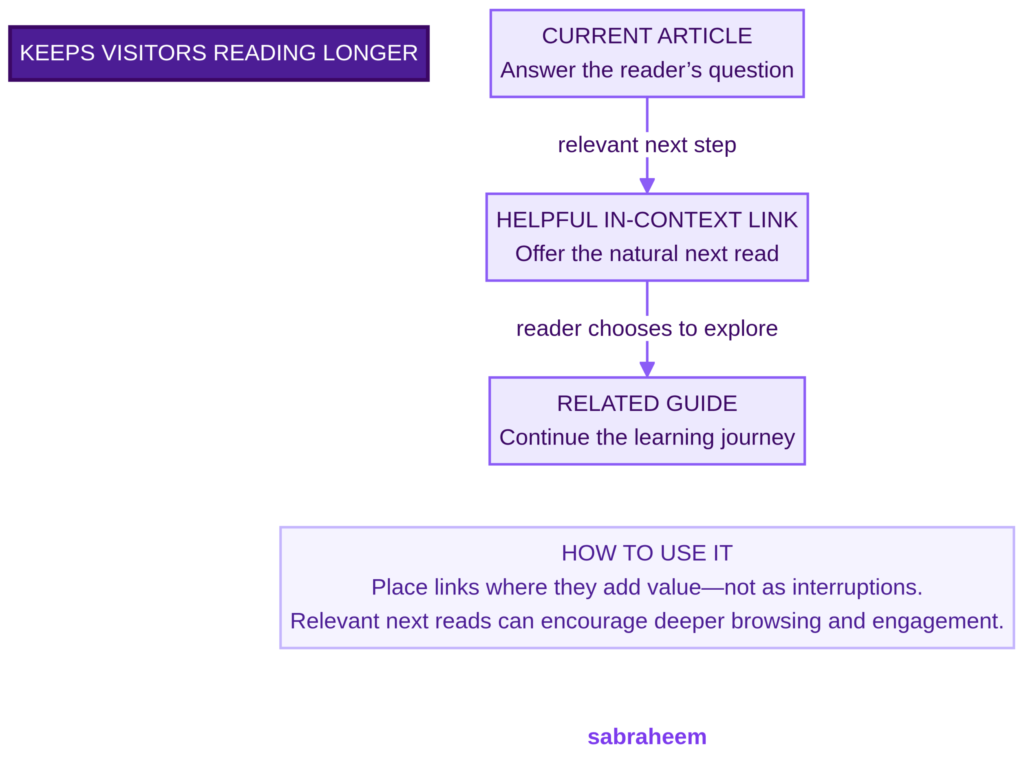
Internal links are hyperlinks from one page on your site to another page on the same site. Topical authority is the idea that a site covering a subject thoroughly and credibly is more likely to rank for it.
One honest caveat: Google has not published a formal topical authority score, so it is a practitioner concept rather than a confirmed ranking metric. What is documented is that Google uses links as a signal when working out the relevance of pages and to discover new pages to crawl. Internal links are how you make your topic structure visible to both Google and readers.
Why internal links matter for SEO
- Discovery. Google follows links to find pages. A page with no internal links (an orphan page) is harder to find and crawl.
- Context. The anchor text and the text around a link help Google understand what the linked page is about.
- Importance. Pages that many relevant pages link to tend to be treated as more important within your site.
- User journeys. Good links move readers to the next useful page, which is a user experience benefit as well as an SEO one.
Internal linking strategy for topical authority: step by step
Step 1: Choose one core topic and map its subtopics
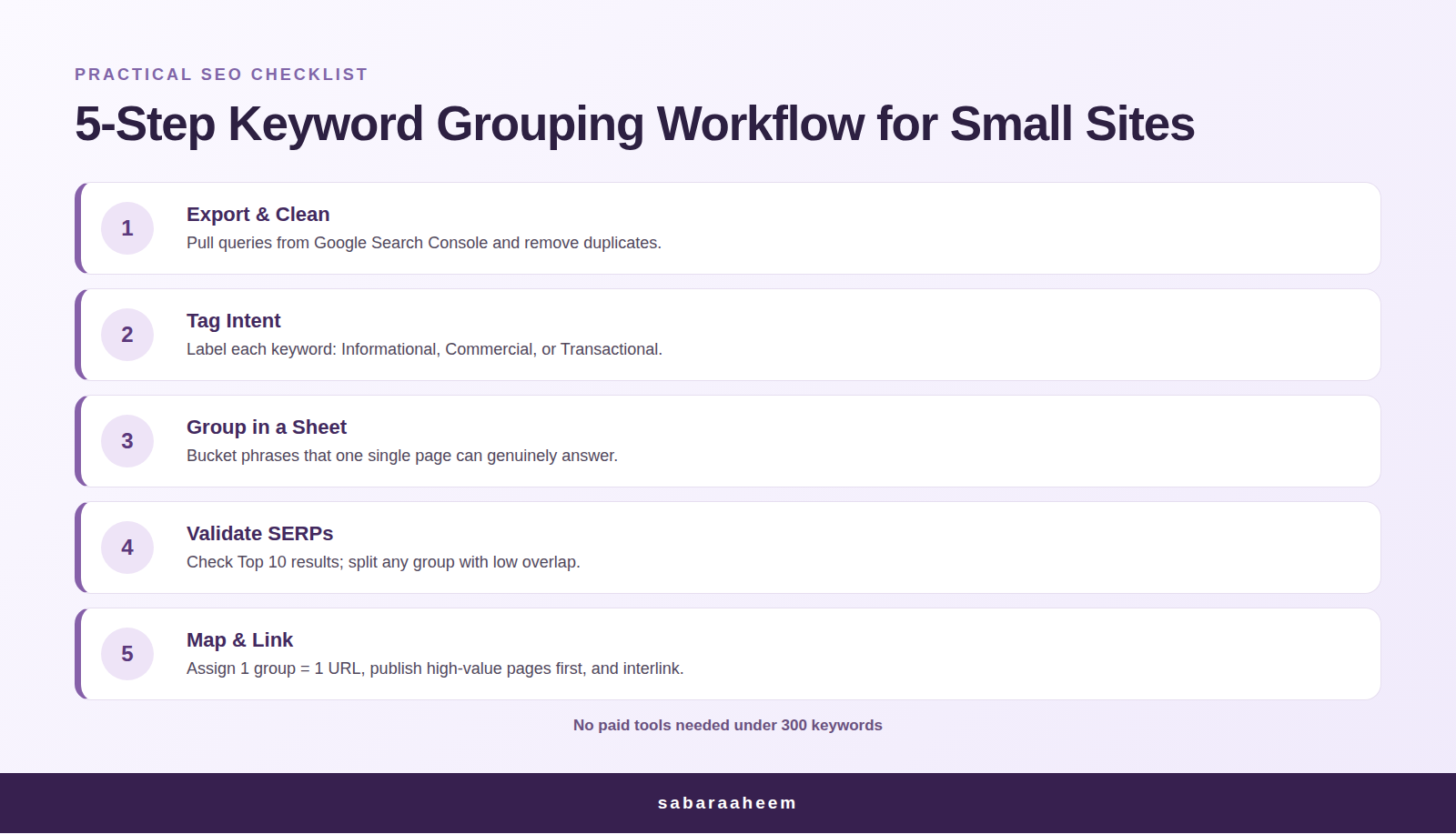
Pick the topic you want to be known for, then list the questions and subtopics around it. This list is your topical map. Group related queries together so each page targets one clear intent. Keyword clustering is the natural way to do this, and our keyword clustering guide explains how to group queries before you write.
Step 2: Decide your pillar and supporting pages
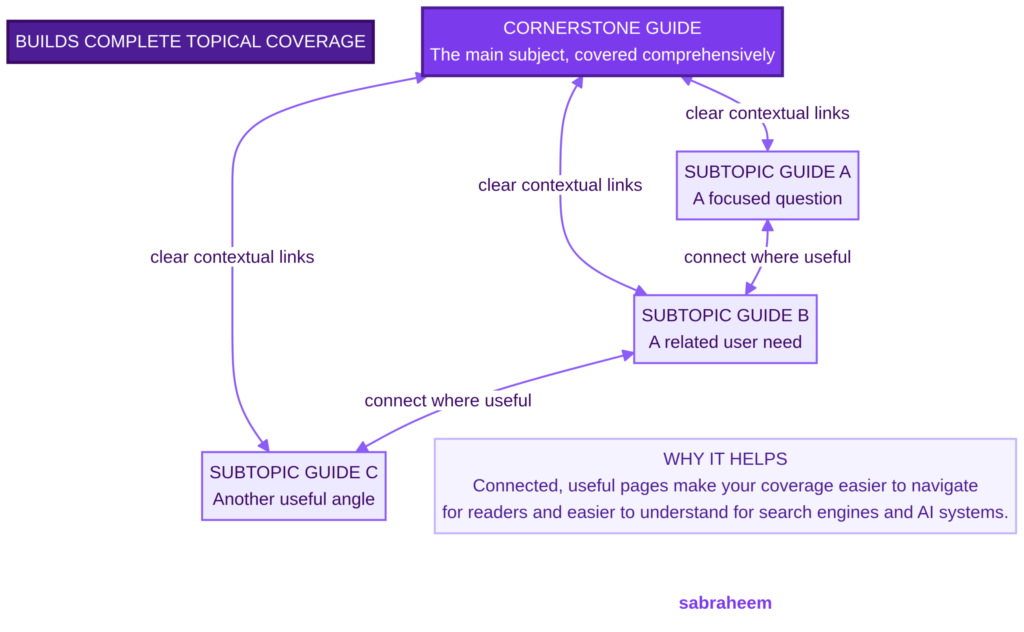
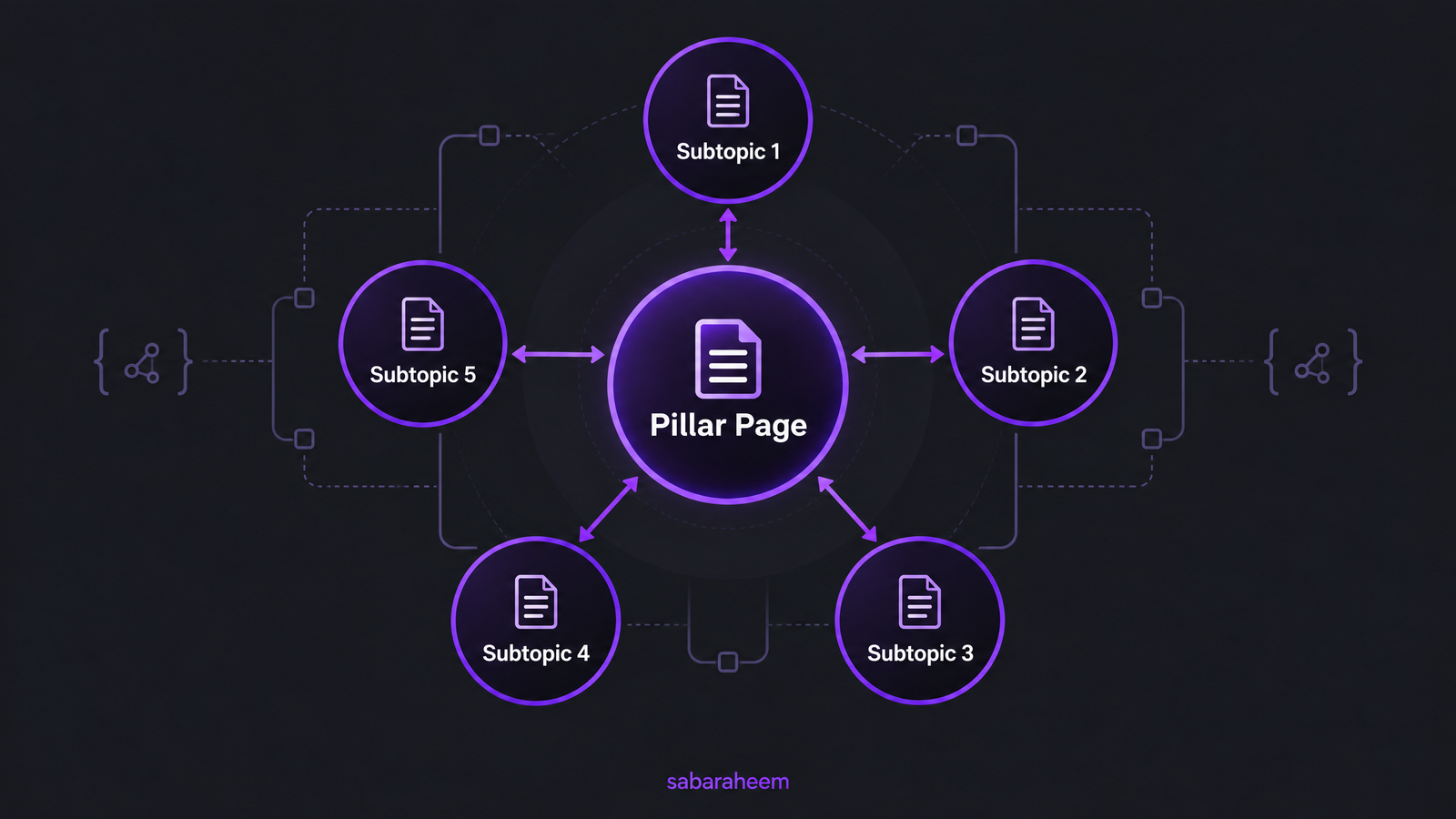
The pillar page covers the broad topic. Supporting pages go deeper on one subtopic each. For example:
| Page type | Example |
|---|---|
| Pillar | Topical authority: how to build it |
| Supporting | Keyword clustering, SEO audit checklist, internal linking, structured data, on-page SEO |
Give each page one primary intent. Two pages chasing the same query will compete with each other instead of supporting each other.
Step 3: Audit your existing links first
Before adding anything, check what you already have. A basic internal link audit looks for:
- Broken internal links
- Orphan pages with no internal links pointing to them
- Uneven link distribution, where some important pages get few links
- Pages in the same cluster that never link to each other
- Link text cannibalization, where several pages use the same anchor for different targets
Run a crawl in a tool such as Screaming Frog, Ahrefs or Semrush, or export your links from Search Console and your CMS.
Step 4: Link in both directions
A simple, reliable pattern:
- Supporting page to pillar: every supporting page links up to the pillar.
- Pillar to supporting pages: the pillar links down to each supporting page.
- Supporting to supporting: link siblings only where it genuinely helps the reader.
This creates a connected topical network instead of a list of unrelated URLs.
Step 5: Write descriptive anchor text
Google’s guidance is that good anchor text is descriptive, reasonably concise and relevant to the page being linked to. Avoid generic text like “click here” or “read more”. Compare:
| Weak anchor | Better anchor |
|---|---|
| click here | how to run an SEO audit |
| this post | keyword clustering guide |
| read more | internal linking best practices |
Vary the wording naturally. Don’t force the exact target keyword into every link, and don’t point two different pages at the same anchor.
Step 6: Place links in context and make them crawlable
Put links inside the body copy where they add value, with a sentence of context around them. Use standard HTML links (an <a> element with an href attribute), because Google can generally only crawl links built that way. Avoid links that depend on JavaScript click handlers, and avoid stacking several links back to back.
Step 7: Keep important pages close to the homepage
As a rule of thumb, keep your key pages within a few clicks of the homepage and link to deeper pages from hub pages so they don’t get buried. This is practitioner guidance rather than a Google rule.
Step 8: Link new content to old content, and old to new
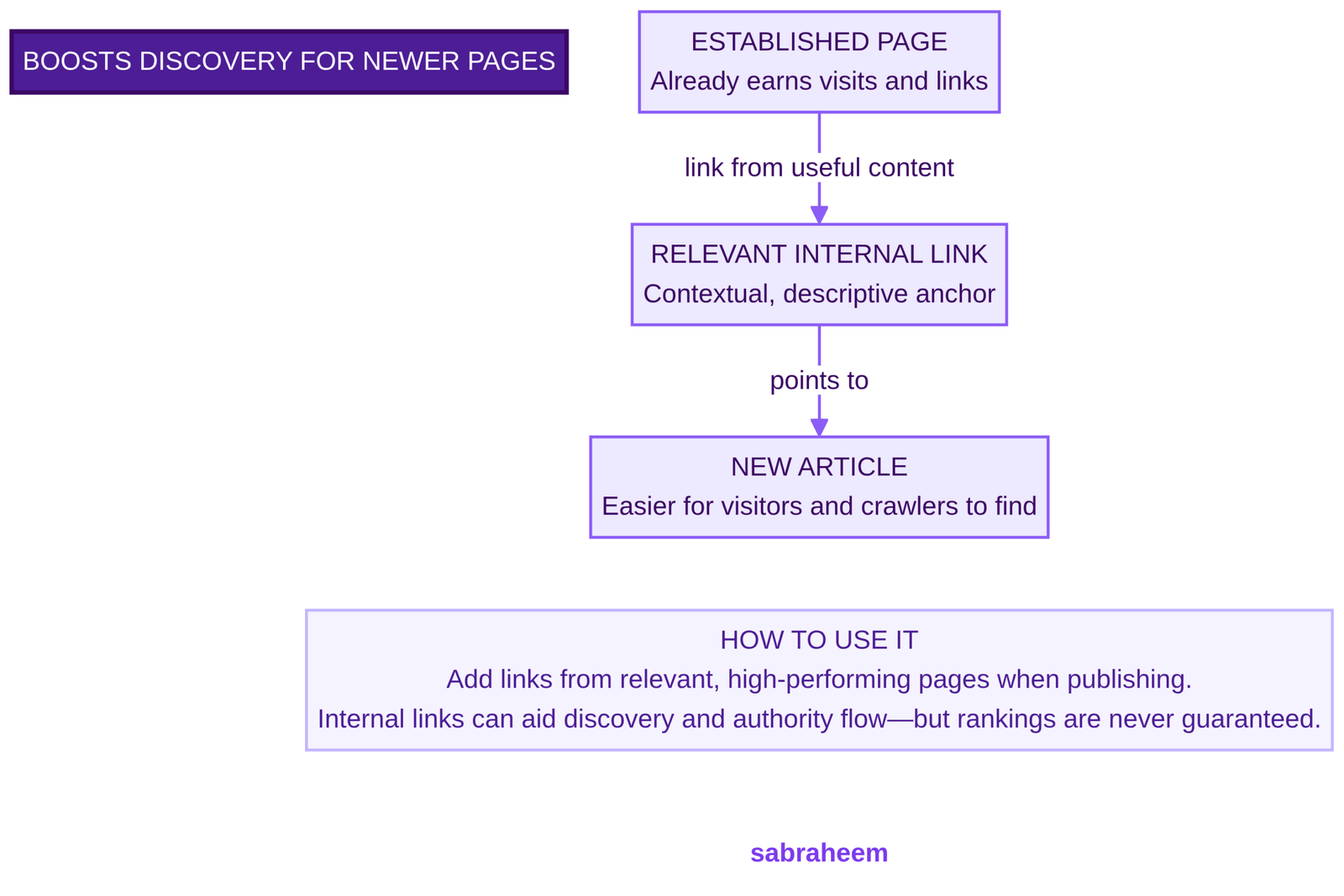
Every time you publish, do two things: add links from the new post to related existing pages, and go back to relevant older posts and add a link to the new one. Most sites skip the second half, so new pages stay under-linked.
Step 9: Measure and maintain
There is no single topical authority metric to watch, so track proxies for the whole cluster:
- Impressions and clicks for the cluster’s queries in Search Console
- Average position of the pillar and supporting pages
- Pages indexed and crawled
- Number of orphan pages (should trend to zero)
Re-run the audit every quarter or after a large content push.
How many internal links per page?
Google has no published limit and its Search Advocate John Mueller has said there is no optimal number of links on a page. He has also cautioned that linking too liberally can dilute the value of links and make your site structure harder to understand. Some SEO sites suggest rules of thumb such as 2 to 5 contextual links per 1,000 words, but those are third-party estimates, not Google guidance. Link where it helps the reader, and let the page length and topic decide.
Internal linking best practices checklist
- Link only to genuinely relevant pages
- Use descriptive anchor text, not “click here”
- Link in both directions between pillar and supporting pages
- Fix broken links and redirect chains
- Make sure every page has at least one internal link pointing to it
- Keep one primary intent per page
- Don’t chain links together or overload a page
- Update old posts when you publish new ones
Common internal linking mistakes
- Orphan pages that nothing links to.
- Generic anchors that tell Google nothing.
- Competing pages that target the same query and link to each other with the same anchor.
- Links only in the navigation or footer, with none inside the content.
- Over-linking, which clutters the page and dilutes each link.
- Never revisiting old posts after new content goes live.
Internal linking example
Say your pillar is “how to build topical authority”. A supporting post on keyword clustering might include the sentence: “Once your clusters are ready, link each page to its pillar using descriptive anchor text, as covered in our internal linking strategy guide.” The pillar then links back to the keyword clustering post when it discusses grouping queries. Each link has context, a clear anchor and a reason to exist.
For more SEO guides, visit the SEO portfolio.
FAQs
What are the best practices for internal linking for SEO?
Use descriptive anchor text, link between related pages in context, make sure links are crawlable <a href> links, avoid orphan pages and fix broken links. Link pillar pages and supporting pages in both directions.
What is the best linking strategy for SEO?
A topic cluster structure: one pillar page covering the broad topic, supporting pages covering subtopics, and contextual links connecting them in both directions.
Does internal linking improve SEO?
It can. Google uses links to discover pages and to understand how relevant and related they are, so a clear internal link structure helps crawling and context. It works best alongside useful content.
How many internal links per page should I use?
There is no official number. Google says there is no optimal count, and too many links can dilute their value. Focus on relevance and usefulness.
Can you give an example of internal linking?
A blog post about keyword clustering that links, with the anchor text “internal linking strategy”, to your guide on connecting cluster pages. The anchor describes the destination and the link sits inside relevant content.
Why are internal links important for SEO?
They help Google find and crawl your pages, give context about what each page covers, and guide readers to related content.
Final takeaway
Building topical authority is mostly structure: map the topic, give every page one intent, connect pillar and supporting pages with descriptive links, and keep auditing. Start with Step 3 today, because fixing orphan pages and weak anchors is the fastest win on most sites.
Sources
- Link best practices for Google (Google Search Central)
- Internal links and SEO: best practices, examples and tips (Search Engine Land)
- Google cautions against using too many internal links (Search Engine Journal)
- Google: there is no optimal number of links on a page (Search Engine Roundtable)
- Topical authority (Ahrefs)
- Topical authority: how it works for Google and AI search (GEO Toolbox)
- How internal linking improves SEO (Linkbot)

Sharing my journey and learnings in Tech and AI. As a Digital Marketing Expert, I help brands boost their visibility and sales with smart personal branding and the latest AI tricks.

Leave a Reply